On heavy civil projects, crews are always in contact with the real world. One crew may be working beside live traffic and pedestrians; another could be operating heavy equipment along a miles-long stretch of road; and another could be working on a bridge passing over a busy highway.
A safety manager might cover four or five of these locations in a day, often without reliable cell service or a full-time safety professional at every site. But when crews, the traveling public, and heavy equipment are in such close proximity, injuries can—and unfortunately do — happen.
NIOSH reports that 1,462 fatal occupational injuries occurred at road construction sites from 2011 through 2022. Forty-four percent of those fatalities involved a worker struck by a vehicle in a work zone. OSHA also notes that approximately 75% of struck-by fatalities involve heavy equipment such as trucks or cranes.
In roadway work zones, struck-by incidents frequently involve workers being hit by construction vehicles, heavy equipment, or passing motor vehicles. Preventing these incidents is a daily challenge for civil safety managers. This guide lays out practical steps to protect your crews and manage these dynamic risks.
Linear Site Safety: Managing Dispersed Crews, Live Traffic, and Unfenced Corridors
Imagine a commercial job site. You've got clear boundaries, maybe a single gate, and a central office for teams to work in and out of.
Now, picture a highway expansion project. There's no physical perimeter to separate your workers from moving vehicles or heavy equipment. Your work zone could be miles long, with live traffic speeding by. Crews might be operating excavators, paving machines, and dump trucks at one end, while another team is setting up traffic-control devices miles away.
This linear footprint creates unique EHS challenges:
-
Communication Gaps: Because projects are often in remote locations, cellular and internet service can be spotty. It can be difficult to log critical safety information in real time, as teams resort to taking notes on paper — and hope to find them later.
-
Supervision Strain: Safety managers can't be everywhere at once or see what's going on across a broader portfolio of roadwork projects. Overseeing multiple dispersed crews and operations across one or many projects requires clear processes and reliable data.
-
Dynamic Risks: Traffic patterns shift, weather can change quickly, and equipment moves constantly. It can take time to accurately inspect the state of each asset, and what was a safe setup an hour ago might not be now.
-
Public Interaction: Unlike enclosed sites, the public is constantly interacting with your work zone, sometimes ignoring traffic controls or speed limits. Safety managers need to do their due diligence to help protect both crews and the traveling public.
These factors heighten the risk of heavy equipment worker proximity incidents and underscore the need for robust struck-by hazard prevention strategies.
Closing the Gap Between Machine Operators and Ground Crews
The core of preventing struck-by incidents is clear communication and strict separation when possible. When workers and heavy equipment must operate in the same area, precise coordination is non-negotiable. The crew should understand the day's high-energy hazards, the controls in place, who is qualified to perform each role, and who has authority to stop the work.
An Internal Traffic Control Plan (ITCP) can help coordinate the movement of construction vehicles, equipment, workers on foot, and others inside the work zone. Unlike the temporary traffic-control plan used to guide public traffic, an ITCP focuses on movement within the workspace and separates workers from vehicles and equipment wherever possible.
This isn't just about yelling louder or hoping everyone sees each other; it's about building systems that make safe behavior clear and consistent. Consider these critical areas:
-
Visibility: Every worker on foot needs to be seen. High-visibility clothing, clear demarcation of work zones, and proper lighting are fundamental. But visibility goes beyond bright vests; operators must know where ground crews are, especially around blind spots. Safety leaders also need a reliable way to verify that crews completed meaningful PTPs and JHAs, equipment was inspected before use, and identified hazards were addressed — not merely that paperwork was submitted.
-
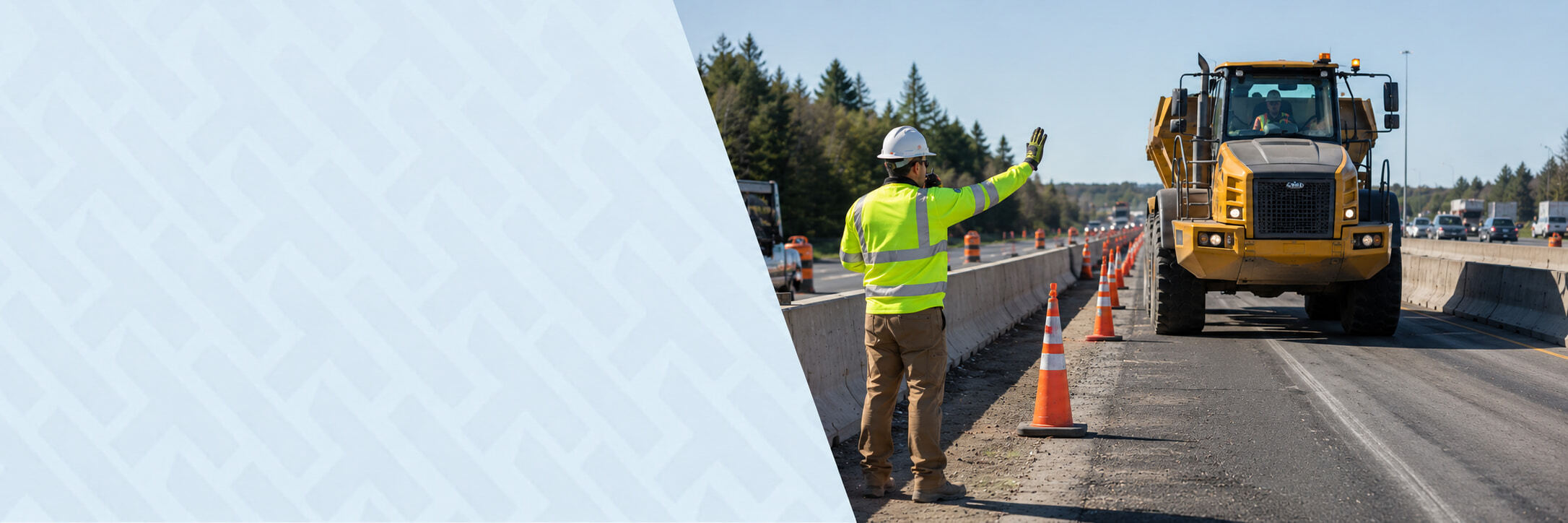
Spotters and Communication: When an operator's view is restricted, workers must enter equipment operating areas, or the project's traffic-control plan requires one, use a trained spotter to help coordinate equipment movement. Spotters should maintain visual contact, use agreed-upon signals or radio communication, and have the authority to stop work immediately if a risk arises.
-
Exclusion Zones: Where possible, establish physical barriers or clearly marked exclusion zones around operating heavy equipment. These zones define a safe distance that ground crews must maintain unless directed otherwise by the operator or spotter.
-
Operator Training and Qualifications: Crews frequently move between projects, tasks, and jurisdictions. Verify that each worker has the training and current certifications required for the work they are assigned, including any state-specific flagging, roadway, PPE, or equipment requirements. Their training should include working safely around ground crews, understanding blind spots, and responding to spotter signals.
These practices help reduce the chance of someone ending up in the path of a moving machine. It's about creating a predictable environment in an otherwise unpredictable setting, focusing on consistent behaviors and clear roles.
Struck-By Prevention: Field Controls for Dynamic Work Zones
Effective safety in linear civil sites demands controls that are as dynamic as the work itself. Static paper forms or once-a-day briefings don't account for conditions that can change by the minute. Teams need tools that allow them to capture and access critical safety information where the work happens.
Mobile PTPs and SPAs That Adjust to Daily Weather and Traffic-Control Changes
On many civil projects, daily PTPs have traditionally lived in paper binders inside crew trucks — sometimes muddy, torn, and only accessible by physically visiting the site. Hazards might be jotted on a Safe Start card and turned in at the end of the week, leaving safety leaders with generic handwritten notes and little real-time visibility into what crews were actually encountering.
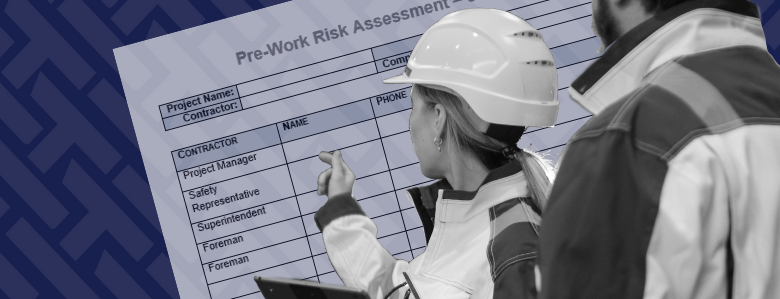
A Pre-Task Plan (PTP) — sometimes called a Safe Plan of Action (SPA) — is your daily blueprint for safety. On linear sites, these need to be living documents. A standard PTP might identify hazards such as heavy equipment movement or live traffic. A dynamic PTP goes further. It asks:
-
Where exactly is the heavy equipment today?
-
What specific traffic-control measures are in place right now?
-
How will today's rain or wind affect visibility or ground conditions?
Your teams should be able to access a PTP on a mobile device, update it to reflect current conditions, and collect sign-offs from everyone involved. If a lane closure changes or a new piece of equipment arrives, the PTP should reflect that change, and everyone involved should know. This timely adjustment is an important part of struck-by hazard prevention.
Digital Pre-Start Equipment Inspections and Operator Qualification Verification
Heavy civil contractors may own and operate hundreds of pieces of equipment, making consistent pre-start inspections essential. Each active asset should be inspected before use, with deficiencies documented through notes and photos and shared with maintenance teams.
Before any piece of equipment fires up, a thorough pre-start equipment inspection is non-negotiable. This may include checking hydraulics, lights, alarms, tires, brakes, and safety interlocks. Paper records can be lost and rarely provide immediate oversight. Digital equipment compliance workflows can provide:
-
Standardized Checklists: Operators complete a consistent inspection on a tablet or phone before using each piece of equipment. For cranes and other high-risk assets, that means verifying required controls before work begins.
-
Photo and Video Capture: Operators can attach photos to document deficiencies such as a cracked windshield or damaged component. This provides more useful context than a simple yes-or-no response or short handwritten note.
-
Asset-Level Mobile Access: A QR code placed on the equipment or attached to its key ring can take the operator directly to the correct inspection on a phone or tablet. This makes the process easier for field crews and reduces the risk of completing the wrong form.
-
Deficiency and Maintenance Tracking: When an inspection identifies a problem, the operator can raise an observation and create a record of what needs attention. Maintenance teams can access those equipment observations directly, helping them understand the issue and follow up before the asset returns to normal use.
-
Inspection History by Asset: Each inspection remains connected to the specific excavator, crane, forklift, or other piece of equipment. Supervisors can see when it was last inspected, who completed the check, and whether today's inspection is still outstanding.
-
Qualification Verification: Alongside the equipment check, the system can confirm whether the operator has the current license or qualifications required for that specific machine. This helps prevent workers without the required qualifications or authorization from operating complex machinery.
Keeping inspection history connected to the asset makes it easier to see what was checked, what still needs attention, and whether the equipment should remain out of service. This process helps teams verify equipment condition, document deficiencies, and determine whether an asset is ready for use.
Offline Field Capture That Syncs When Service Returns
Civil crews often work where connectivity is least reliable — along remote highways, on bridges, or deep inside tunnels. Without offline access, a safety professional may have to take photos or notes in the field, return to a trailer or computer, and recreate the inspection later, increasing the chance that information is delayed or lost.
HammerTech's mobile inspection tools allow supported field information to be captured without a continuous connection and synced when service returns. Some actions, including finalizing an inspection or sending an observation, require connectivity, so teams should sync the appropriate project data before entering a low-service area.
The reality of linear construction is inconsistent connectivity. You might have full bars in one section of the highway and no signal just a mile down the road. This can't be an excuse for incomplete safety documentation. Offline-capable field tools can provide:
-
Field-Level Data Capture: Crews can record supported inspection information on a mobile device when Wi-Fi or cellular service is unavailable. Information is captured at the point of work instead of being recreated later from photos or handwritten notes.
-
Automatic Syncing: When the device reconnects, locally captured information can sync with the central HammerTech platform. Safety leaders and project teams can then review the same field records across the organization.
-
More Consistent Documentation: Crews can continue capturing supported information when a connection drops, reducing their reliance on separate paper notes and delayed data entry.
This capability helps teams maintain more consistent safety practices and documentation across vast, remote, or poorly connected work zones. It's a practical solution to a common field challenge in linear site safety.
Unifying Field Visibility Across Miles of Corridors With HammerTech
The key to mastering roadway work zone safety management is getting a clear, timely picture of what's happening across the entire project, regardless of its length. HammerTech provides a connected platform designed to bridge the distance between dispersed crews and EHS leadership. Here's how HammerTech helps address the unique challenges of linear civil infrastructure:
-
Mobilize: Before anyone steps onto the site, HammerTech helps you manage subcontractors. Workers can complete their orientation and enroll their information digitally, helping teams account for workers and provide essential safety information. JHAs can be centralized, allowing teams to identify hazards such as heavy equipment worker proximity and document control measures before work begins. Safety Data Sheets can also be made accessible to the teams who need them.
-
Coordinate: Site teams can manage Pre-Task Plans directly on mobile devices. As traffic patterns change or weather shifts, PTPs can be updated, shared, and acknowledged by the crew. HammerTech also supports digital permits for specific work activities, while notifications help teams communicate critical safety alerts or procedural changes.
-
Report: When incidents occur or observations need to be documented, teams can capture photos and detailed information from the field. HammerTech's Daily Report module allows site supervisors to document daily progress, resource allocation, and safety activities across their section of the linear project.
-
Platform: Field data flows into a central system, giving EHS leaders and project managers a broader overview. Reporting and Insights tools help teams analyze trends, identify incident hotspots, and evaluate their struck-by hazard prevention strategies. HammerTech Intelligence can also help automate data entry and make information from connected safety workflows easier to use.
HammerTech helps crews working miles apart access the same current safety information while consistently capturing daily safety activities. This means leadership can identify safety issues, allocate resources, and make informed decisions that protect workers and keep projects moving safely.
Explore HammerTech's Civil Work Zone Solutions
Building infrastructure that connects communities is vital work. Protecting the people who build it is our shared responsibility. With the right tools and consistent application of safety practices, contractors can reduce the risks inherent in linear construction.
HammerTech's platform provides the connected digital foundation for robust roadway work zone safety management, helping teams work safer and smarter every day
Roadway Work Zone Safety FAQs
What are the most common struck-by hazards in roadway work zones?
Roadway workers can be struck by passing traffic, construction vehicles, heavy equipment, or materials. Risk increases around blind spots, backing movements, changing traffic patterns, poorly defined equipment routes, and areas where workers on foot and vehicles operate close together.
How can contractors prevent struck-by incidents around heavy equipment?
Contractors can reduce exposure by separating workers on foot from vehicles and equipment wherever possible, establishing internal traffic control plans and exclusion zones, using trained spotters when required, maintaining clear communication, verifying operator qualifications, and completing equipment inspections before work begins.
How do digital pre-task plans improve roadway work zone safety?
Digital pre-task plans help crews identify location-specific hazards such as live traffic, equipment movement, visibility, weather, and lane configurations before work begins. In HammerTech, PTPs can connect with JHAs, permits, equipment, and worker records while capturing reviews and crew sign-offs in one place.
How do digital pre-start inspections help manage heavy-equipment risk?
Standardized digital checklists help operators document equipment condition before use. HammerTech can connect inspections to asset records, support QR-code access, attach photos of deficiencies, preserve inspection history, and verify whether operators hold the qualifications required for specific equipment.
How does HammerTech support safety across dispersed roadway projects?
HammerTech connects worker qualifications, pre-task plans, JHAs, equipment records, inspections, observations, corrective actions, and daily reports in one platform. This gives project and safety leaders greater visibility into completed activities, outstanding actions, and safety records across dispersed crews and work zones.
Can HammerTech capture inspection information without reliable connectivity?
HammerTech's mobile inspection tools support offline work after the appropriate project data has been synced to the device. Captured information can sync with the HammerTech platform when connectivity returns. Some actions, including completing an inspection or sending an observation, require a connection.
.jpg)