 Safety Inspections
Track inspections and corrective actions
Standardize safety inspections, track findings, and close corrective actions with real-time project visibility.
%20or%203%20to%202%20aspect%20ratio.png?width=150&height=100&name=Shawmut%20grayscale%20logo%20(626x417)%20or%203%20to%202%20aspect%20ratio.png)
%20or%203%20to%202%20aspect%20ratio.png?width=150&height=100&name=Holder%20construction%20grayscale%20logo%20(626x417)%20or%203%20to%202%20aspect%20ratio.png)
%20or%203%20to%202%20aspect%20ratio.png?width=150&height=100&name=CRB%20grayscale%20logo%20(626x417)%20or%203%20to%202%20aspect%20ratio.png)
%20or%203%20to%202%20aspect%20ratio.png?width=150&height=100&name=Peak%20grayscale%20logo%20(626x417)%20or%203%20to%202%20aspect%20ratio.png)
%20or%203%20to%202%20aspect%20ratio.png?width=150&height=100&name=Columbia%20grayscale%20logo%20(626x417)%20or%203%20to%202%20aspect%20ratio.png)
%20or%203%20to%202%20aspect%20ratio.png?width=150&height=100&name=Brown%20grayscale%20logo%20(626x417)%20or%203%20to%202%20aspect%20ratio.png)
%20or%203%20to%202%20aspect%20ratio.png?width=150&height=100&name=ferrovial%20construction%20%20grayscale%20logo%20(626x417)%20or%203%20to%202%20aspect%20ratio.png)

Run inspections from first observation to closeout
Run consistent inspections across every trade and work zone
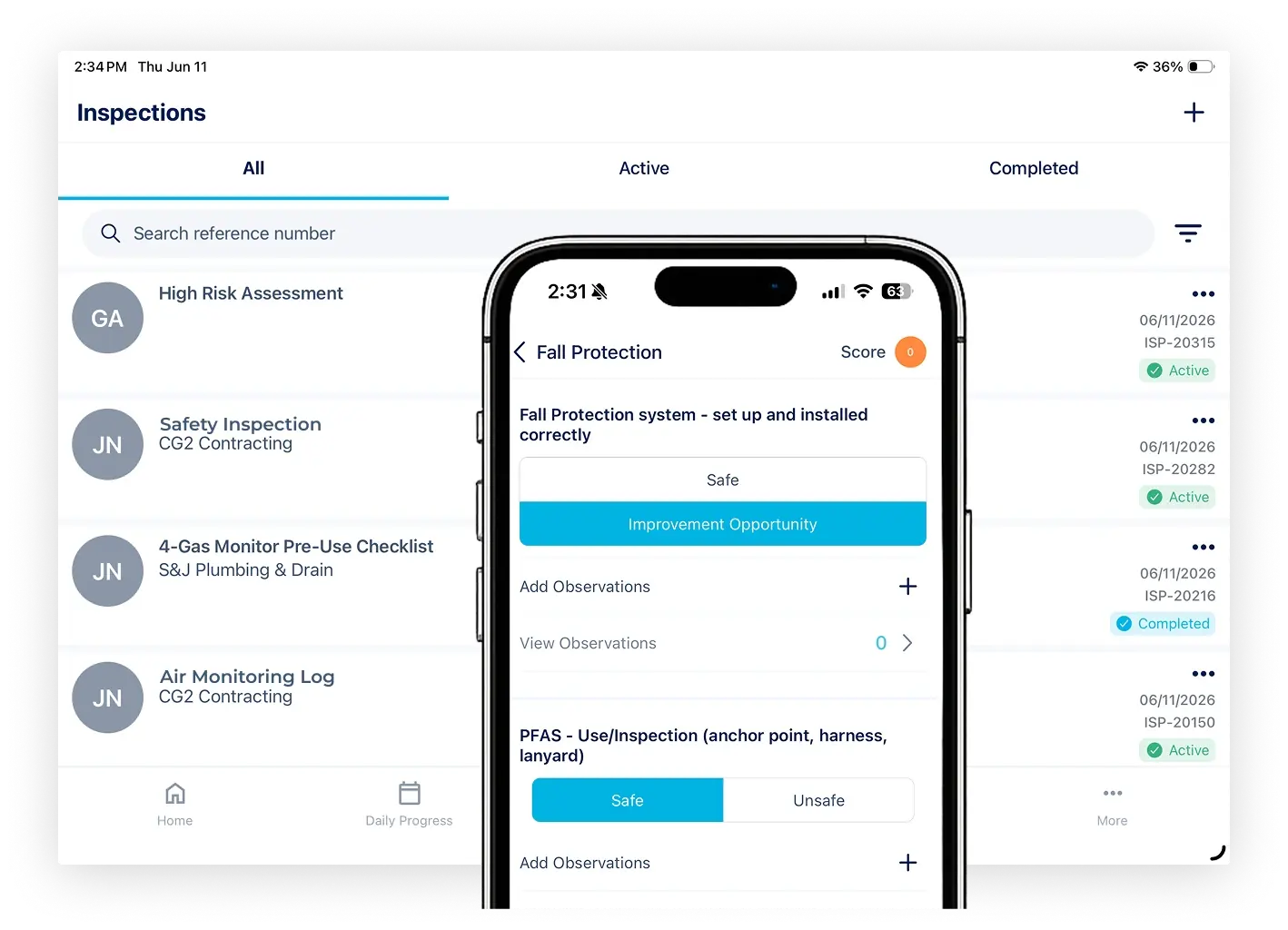
Guide crews through safety and environmental observations on any device, anywhere on site
-
Custom Inspection Types – Build safety, quality, defect, and environmental inspection forms tailored to your project requirements
-
Pre-Configured Checklists – Reduce missed items and keep inspection quality consistent with structured prompts
-
Offline Capability – Raise and complete inspections anywhere on site using HammerTech mobile app
Raise, assign, and resolve issues without leaving the field
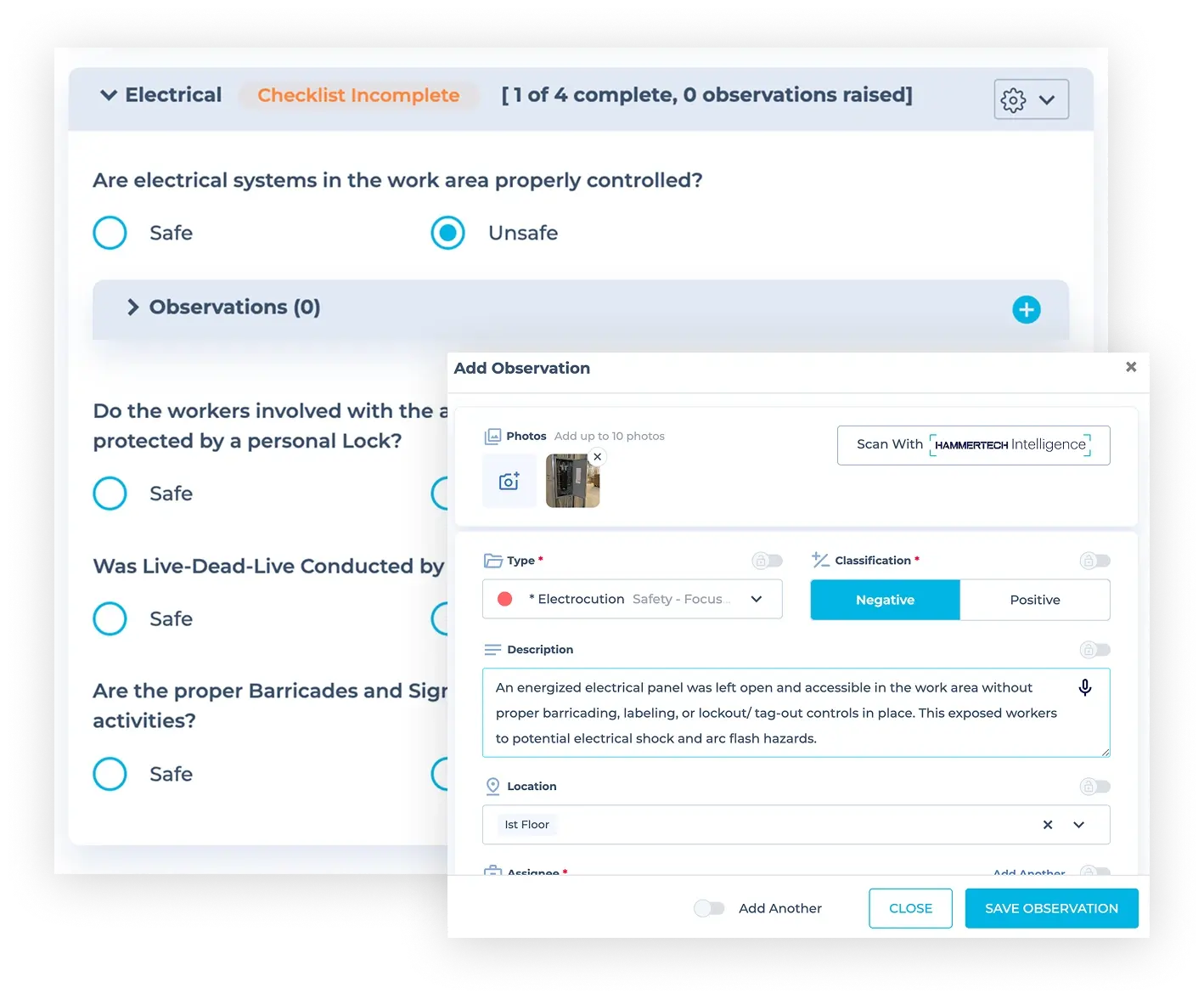
The moment an issue is spotted, the right trade is notified with the details they need to act
-
Instant Issue Assignment – Raise safety, defect, or non-conformance issues and assign to trades in real time
-
Automated Notifications – Receive immediate alerts with issue details, photos, and closeout requirements
-
Subcontractor Portal Access – Enable partners to manage, dispute, and close assigned issues in HammerTech
Spot trends, prove compliance, and protect your bottom line
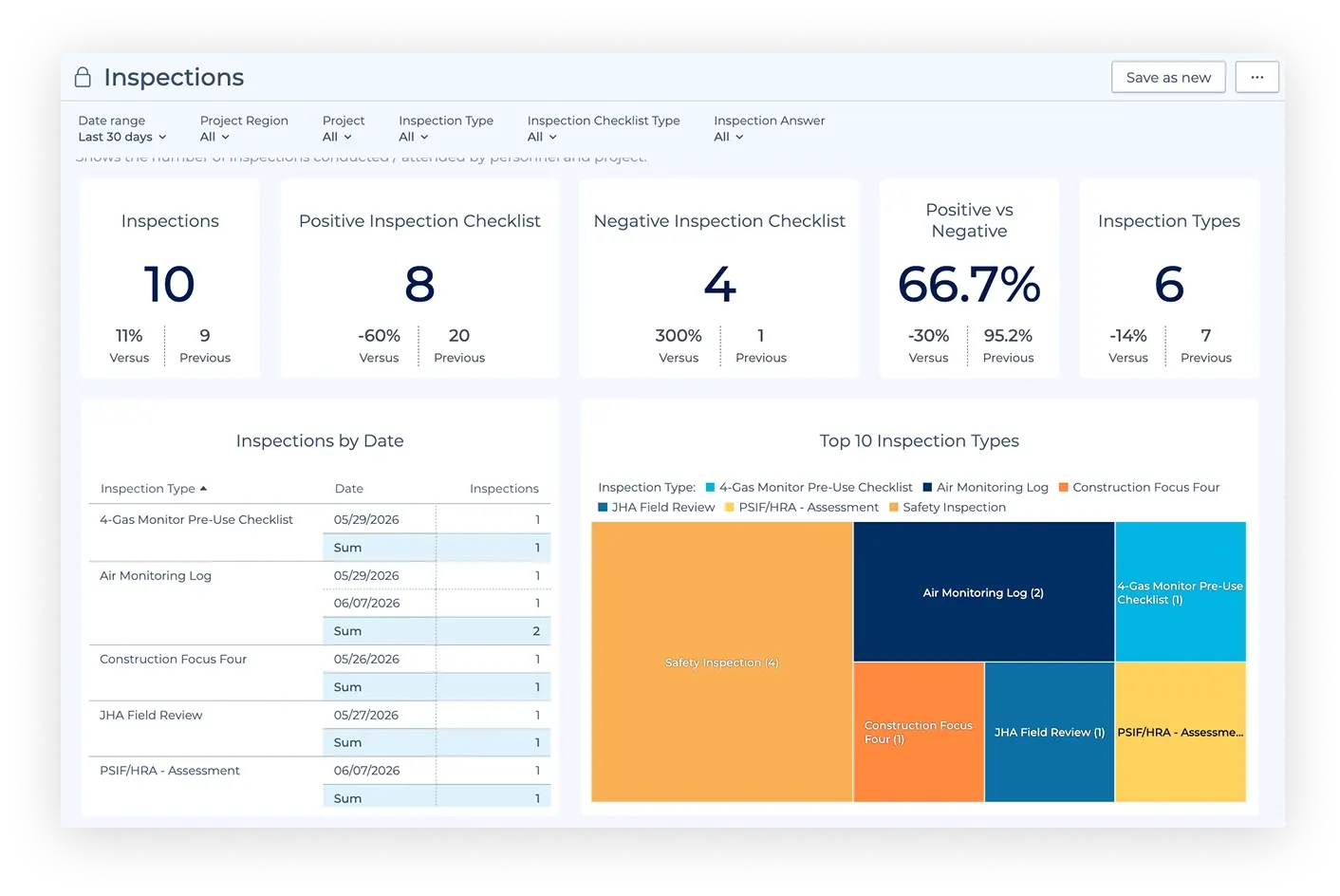
Turn inspection data into actionable insight with a live view of what's open, overdue, and unresolved
-
Live Issue Dashboard – Track outstanding issues, responsible trades, and close-out status in real time
-
Trend Reporting – Surface which trades or work zones generate the most observations before they escalate
-
Inspection Records – Every inspection, photo, and resolution is time-stamped and retrievable instantly
Customer Quote
"We transitioned from manually sifting through 1,700 inspection findings once a year to tracking over 27,000 audit findings. Now we understand our project, trade partner, and company trends any place, any time."
Connected Workflows