
Getting critical information to the field shouldn't depend on whether someone happens to check their email, glance at the jobsite TV, or scroll past the public project page. Workers are busy and on the move, so they need a communication method that can meet them where they are.
That's why we’ve added SMS capability within the Bulletins module, now generally available in North America. It's a native way to reach the right people, on the device they actually use, without ever leaving the HammerTech platform.
The Problem: Getting the Word Out Shouldn't Be This Hard
Text messages are one of the most effective communication methods, with a 98% open rate, and most text messages are opened within three minutes or less.
But right now, if you want to send a text message to your crews, you would have to export data out of HammerTech and into a separate, third-party SMS tool.
And because that exported list isn't synced back to the platform, it goes stale almost immediately. Workers roll off a project, new workers show up — the SMS list doesn't reflect any of it.
Once the message leaves HammerTech, visibility disappears too. There's no confirmation of who actually received it. And the next time you need to send a text, you're doing the entire manual process all over again.
The Solution: SMS Bulletins, Native to Your Workflow
SMS Bulletins make text messaging a first-class part of your existing communication tools, not a workaround. And with SMS Bulletins, you now get:
-
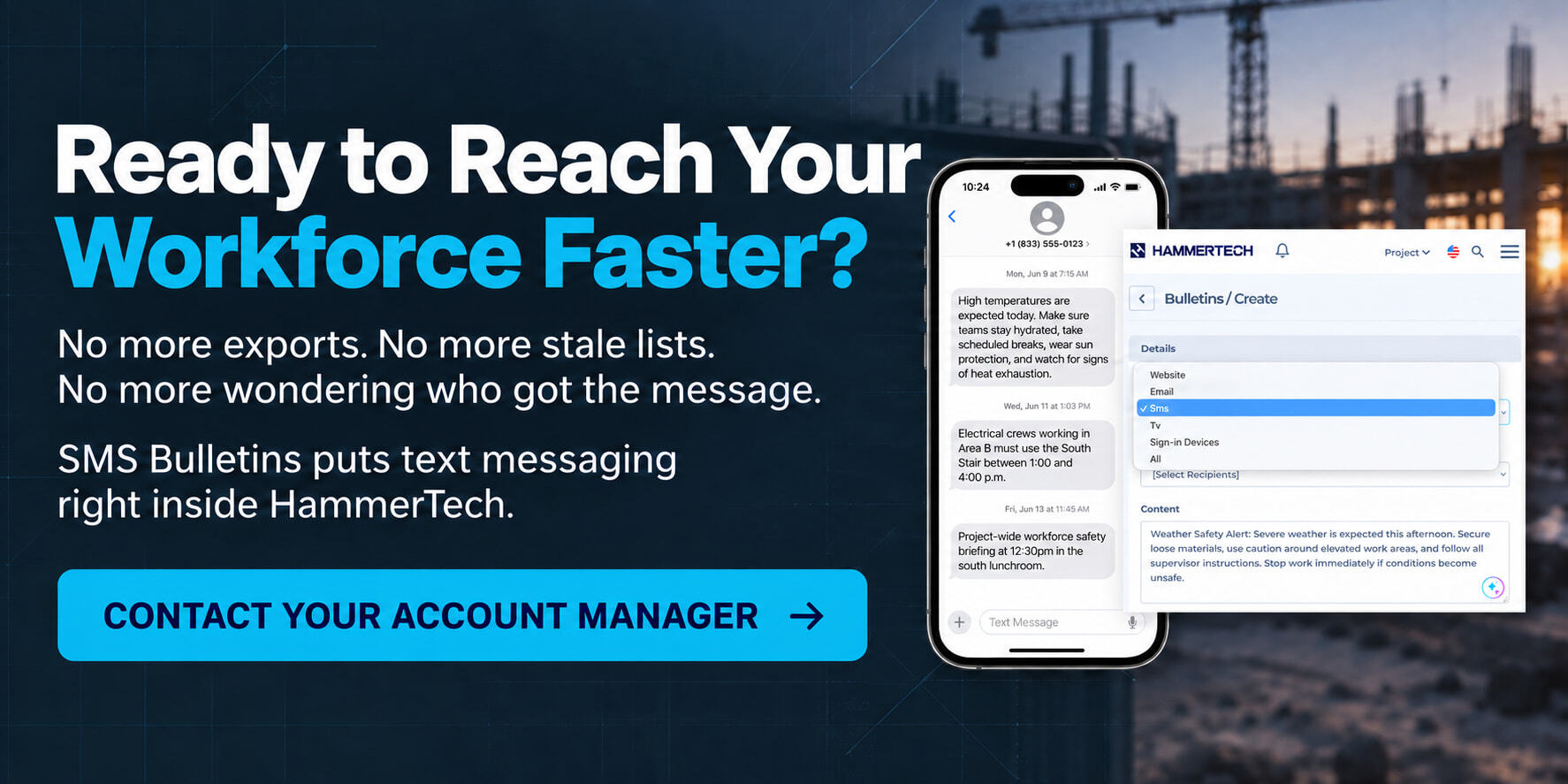
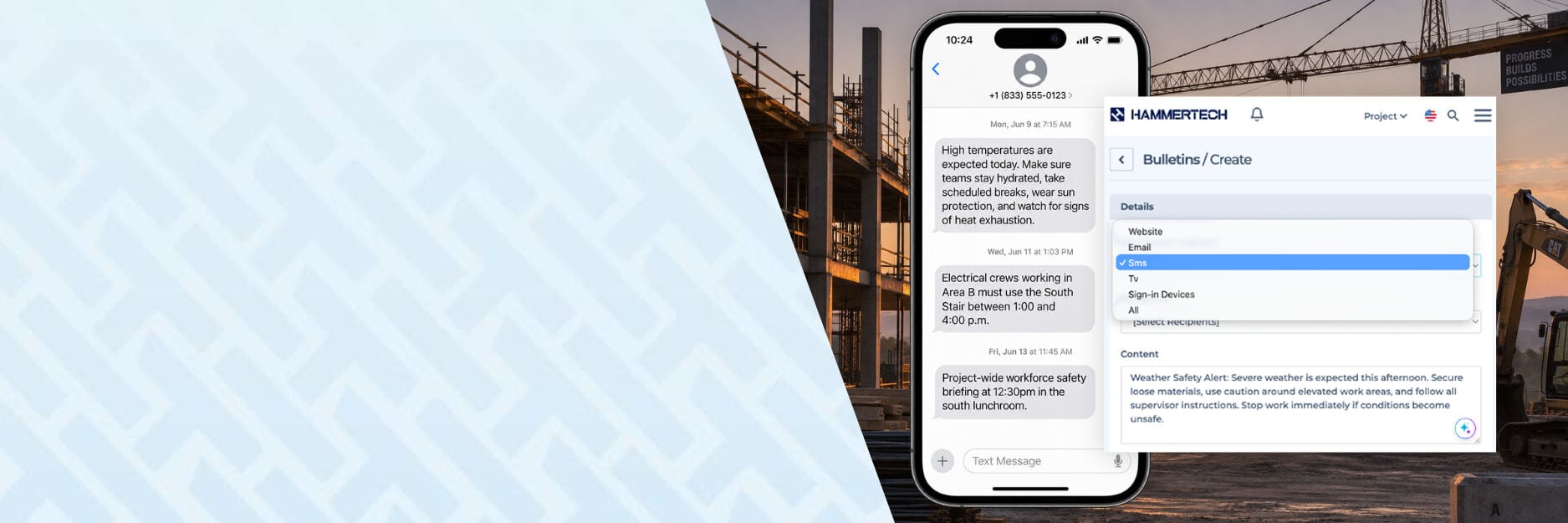
Omnichannel communication. SMS now sits alongside Email, TV App, Public Project Page, and Sign-In Device Bulletins. Creating a text takes the same few steps as any other project communication.
-
Up-to-date recipient lists. Recipients are pulled from live workforce and contact data already in HammerTech; workers, internal users, Primary Contacts, and Nominated Representatives. There’s no separate list to build or maintain in another tool.
-
Full documentation of every send. Every message is logged: who it was sent to, when, estimated credits used, with send limits you control. That means accountability and a real paper trail, instead of a black box.

The Outcome: What This Means for Your Team
The result is simple: less time spent bridging disconnected tools, and more confidence that the right people got the message.
-
Time savings. No more exporting lists into a separate SMS tool every time you need to send a message.
-
Confidence in distribution. Because you're working from more complete, up-to-date HammerTech contact data, you can trust the message reached everyone who needed it — without hoping someone reads an email in time or happens to check the project page.
-
Reduced liability exposure. A documented record of what was sent, to whom, and when adds another layer of protection when it matters most.
Where Teams Are Already Using It
There are countless ways teams can use SMS messages to reach their workforce. But here are a few that we hear come up the most from our customers:
-
Weather-related communication. Remind site supervisors to watch for signs of heat exhaustion, send hydration tips, issue lightning stand-down notices, or confirm when it's safe to return to work.
-
Trade coordination. Send a targeted message to a specific distribution group — like your electrical contractors — or hand-pick individual recipients when you need to reach a smaller group.
-
Site updates. Notify all signed-in workers about changes on site, all-hands meetings, or other day-of updates that need to land immediately.
SMS Bulletin FAQs
What are SMS Bulletins?
SMS Bulletins let you text workers and project contacts directly from HammerTech. SMS now sits alongside your existing Bulletin channels, including Email, the TV App, Public Project Page, and Sign-In Devices.
Who can receive an SMS Bulletin?
You can select recipients using the workforce and contact data already in HammerTech, including workers, internal users, Primary Contacts, and Nominated Representatives. There’s no separate contact list to build or maintain.
Can I send a message to specific workers or groups?
Yes. Send a message to a distribution group, a specific trade, or selected individuals — depending on who needs the information.
What does HammerTech record when I send an SMS Bulletin?
HammerTech records who the message was sent to, when it was sent, and the estimated credits used. You can also set send limits to help your team stay in control.
Where are SMS Bulletins available?
SMS Bulletins are now generally available in North America. Reach out to your HammerTech account manager to learn more about availability and getting it set up on your projects.