

Most safety breakdowns aren't training problems. They’re systems problems: worker data scattered across spreadsheets, hazards that never get reported, or permits that nobody is properly tracking.
If your firm is struggling with “system sprawl”, you’re not alone. According to Deloitte Access Ecnomics, about 30% of global construction firms say they store data in too many different systems. In addition, 36% of global firms say they capture safety and incident data but don’t analyze it.
Want to get your construction safety app workflows working? Here are 5 HammerTech workflows built to help.
Orientation & Worker Info
Imagine a trade partner shows up with a crew of six for a same-day mobilization. The superintendent doesn't recognize half of them, and there's no fast way to confirm who's actually been inducted, whose certifications are current, and whose fall protection card expired last month. Someone starts making phone calls while the crew waits at the gate, and the schedule slips before the day even starts.
HammerTech gives every worker a single digital record covering certifications, license expiration dates, and orientation status. Workers complete orientation and upload credentials from their own device before ever stepping on site, and their approval status (Approved, Flagged, Awaiting Approval) is visible at a glance from the moment they badge in.
Example Use Cases:
-
Confirm an entire trade partner crew is cleared for site before they walk through the gate, without a single phone call.
-
Spot who's overdue on a fall protection or rigging card without digging through binders or emailing the subcontractor.
Permits
Picture a crew set to open an excavation near a known utility corridor. The ground disturbance permit was approved days ago based on paperwork alone, but the soil conditions and the crew haven’t been verified. By the time anyone notices the permit expired that morning, the excavation may already be underway.
HammerTech's Permits module ties every permit directly to the workers, JHAs, and equipment involved before it's approved, so approval means something more than a signature. A live Permit Board shows what's active, scheduled, or expired in real time, and permit-specific requirements (like soil type and bench/slope guidance for excavation) are built right into the request.
Example Use Cases
-
Confirm an excavation permit account for the right soil conditions and crew before anyone breaks ground.
-
Catch a permit that's expired but never got formally stopped, before it turns into an OSHA finding.
Pre-Task Plans
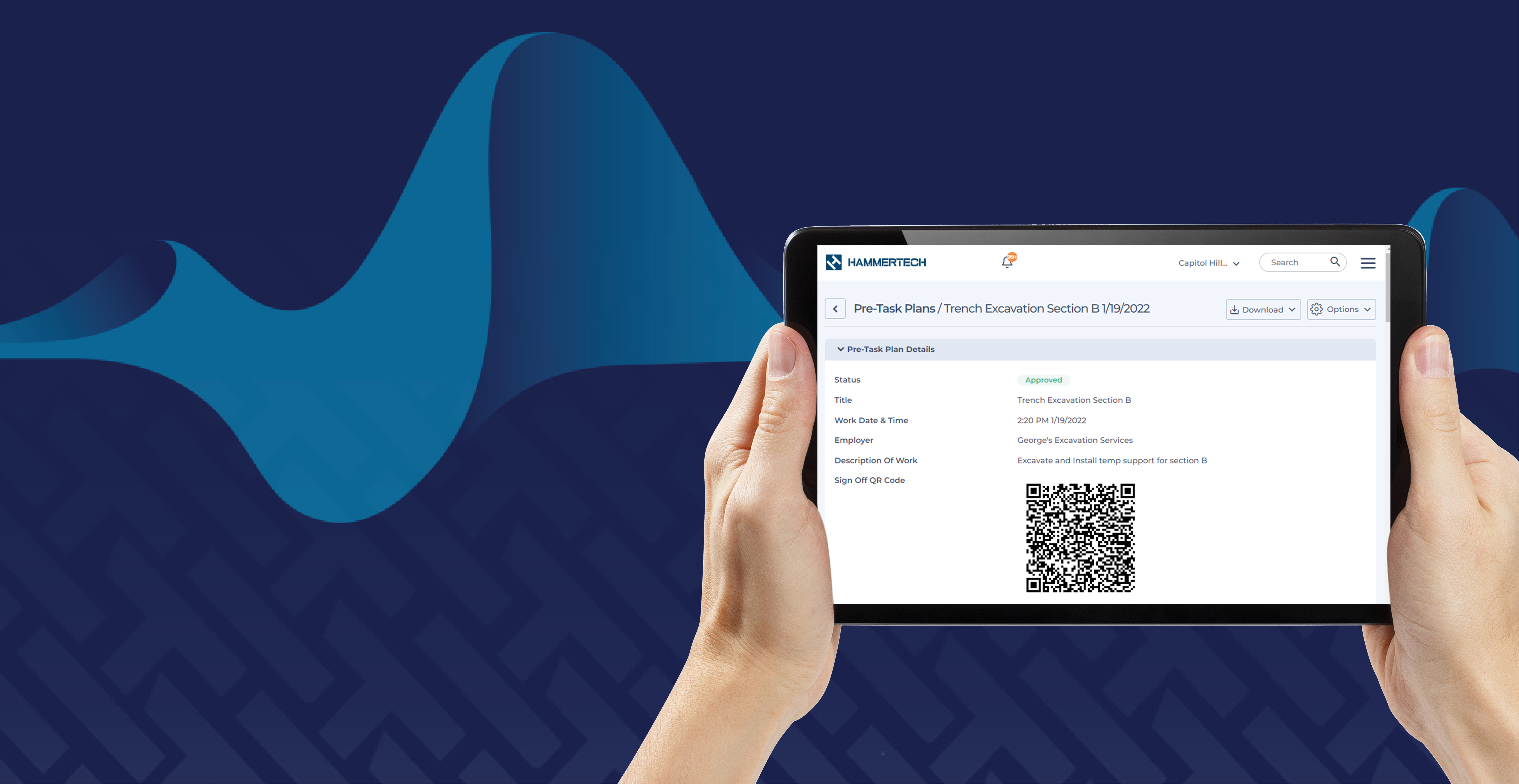
Oftentimes, the morning huddle looks like this: it's 6:45 AM, and the crew lead is running through a laminated hazard sheet that hasn't been updated in months. The crew is half-listening and signs off on a clipboard that gets tossed into a truck. The plan doesn't reflect today's actual task (an excavator working near a trench) and if something goes wrong, there's no detailed record of what was discussed or who heard it.
Pre-Task Plans break the day's work into individual tasks, each with its own specific hazards and controls (like struck-by risk during excavator operation, or trench collapse during shoring), and pull attendees straight from who's already signed in on site that day.
Every hazard and control can be assigned to a specific person, and workers confirm they've read and understood the plan before work begins.
Example Use Cases
-
Run the morning huddle with hazards mapped to the actual task at hand instead of a generic, outdated sheet.
-
Flag a worker who isn't cleared for a task, like confined space entry, before they're added to the crew.
Inspections & Observations
More often than not, a safety manager walking the site notices debris and hazards but doesn’t document them in real time. The observation either gets mentioned verbally and forgotten by lunch, or takes ten minutes to write up properly after the fact.
Observations start with a photo, and HammerTech Intelligence analyzes the image to draft the hazard description, suggest a classification, and flag the likely risk automatically, turning a multi-minute write-up into a quick review and save.
Every observation then gets a priority and due date and stays visible with a live status (like "Due in 3 Days" or "1 Day Overdue") until it's actually resolved. Inspections run on the same logic, with modular checklists that can raise an observation directly from a failed item.
Example Use Cases
-
Snap a photo of a hazard and let HammerTech Intelligence draft the write-up, cutting reporting time from minutes to seconds.
-
See at a glance which fixes are overdue and who's responsible, instead of hoping someone remembers to follow up.
Safety Insights
Say a regional safety director wants to know if the same hazard is showing up across multiple projects, or whether one particular subcontractor is generating more open observations than the rest. Answering that today means exporting data from four different logs and building a spreadsheet by hand, and by the time it's ready, it's already a week out of date.
Insights dashboards roll every workflow (orientations, permits, pre-task plans, inspections, and observations) into one view, from company-wide KPIs like injury rates and average days to resolve, to project-level breakdowns of top hazards and permit close-out times. Dashboards can be exported to PDF or scheduled to land in an inbox automatically, so leadership sees current data without anyone building a report.
Example Use Cases
-
Spot a hazard, like falls from height, that keeps recurring across multiple projects and target training accordingly.
-
Send leadership a weekly safety snapshot automatically, with no manual report-building required.
One Connected System
These workflows don't run in isolation. A worker's orientation status feeds their permit eligibility. A permit pulls in JHAs from a pre-task plan. An inspection raises an observation. And all of it rolls into the dashboards that show where to focus next.