%20GIF.gif?width=200&name=HammerTech%20Intelligence%20(HTI)%20GIF.gif)

 SWMS
SWMS
Prepare for high-risk work with SWMS management
Streamline Job Hazard Analysis reviews, approvals, and tracking to manage leading safety indicators and keep teams prepared before work begins.
%20or%203to2%20aspect%20ratio.png?width=150&height=100&name=Hawkins%20grayscale%20logo%20(626x417)%20or%203to2%20aspect%20ratio.png)
%20or%2032%20aspect%20ratio.png?width=150&height=100&name=ADCO%20grayscale%20logo%20(626x417)%20or%2032%20aspect%20ratio.png)
%20or%2032%20aspect%20ratio.png?width=150&height=100&name=elecnor%20grayscale%20logo%20(626x417)%20or%2032%20aspect%20ratio.png)
%20or%2032%20aspect%20ratio.png?width=150&height=100&name=Ferrovial%20grayscale%20logo%20(626x417)%20or%2032%20aspect%20ratio.png)

%20or%2032%20aspect%20ratio.png?width=150&height=100&name=Hickory%20grayscale%20logo%20(626x417)%20or%2032%20aspect%20ratio.png)
%20or%2032%20aspect%20ratio.png?width=150&height=100&name=hutchinson%20grayscale%20logo%20(626x417)%20or%2032%20aspect%20ratio.png)

%20or%2032%20aspect%20ratio.png?width=150&height=100&name=Kane%20grayscale%20logo%20(626x417)%20or%2032%20aspect%20ratio.png)
%20or%2032%20aspect%20ratio.png?width=150&height=100&name=LTMcGuinness%20grayscale%20logo%20(626x417)%20or%2032%20aspect%20ratio.png)
%20or%2032%20aspect%20ratio.png?width=150&height=100&name=Mirvac%20grayscale%20logo%20(626x417)%20or%2032%20aspect%20ratio.png)
%20or%2032%20aspect%20ratio.png?width=150&height=100&name=Parkview%20grayscale%20logo%20(626x417)%20or%2032%20aspect%20ratio.png)
Proactive SWMS Management
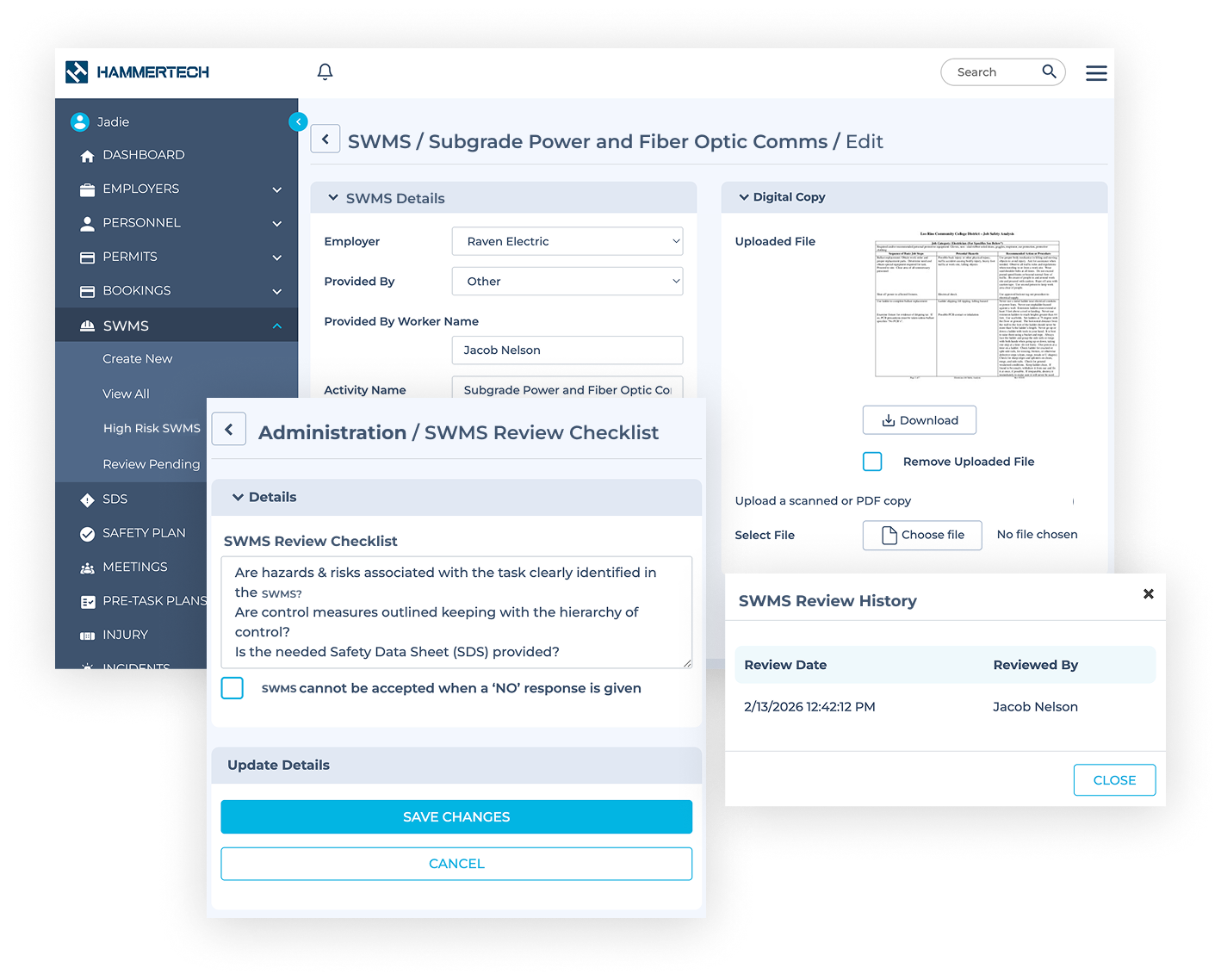
Centrally manage SWMS in one place
Create, review, and reference SWMS across projects from a single system.
-
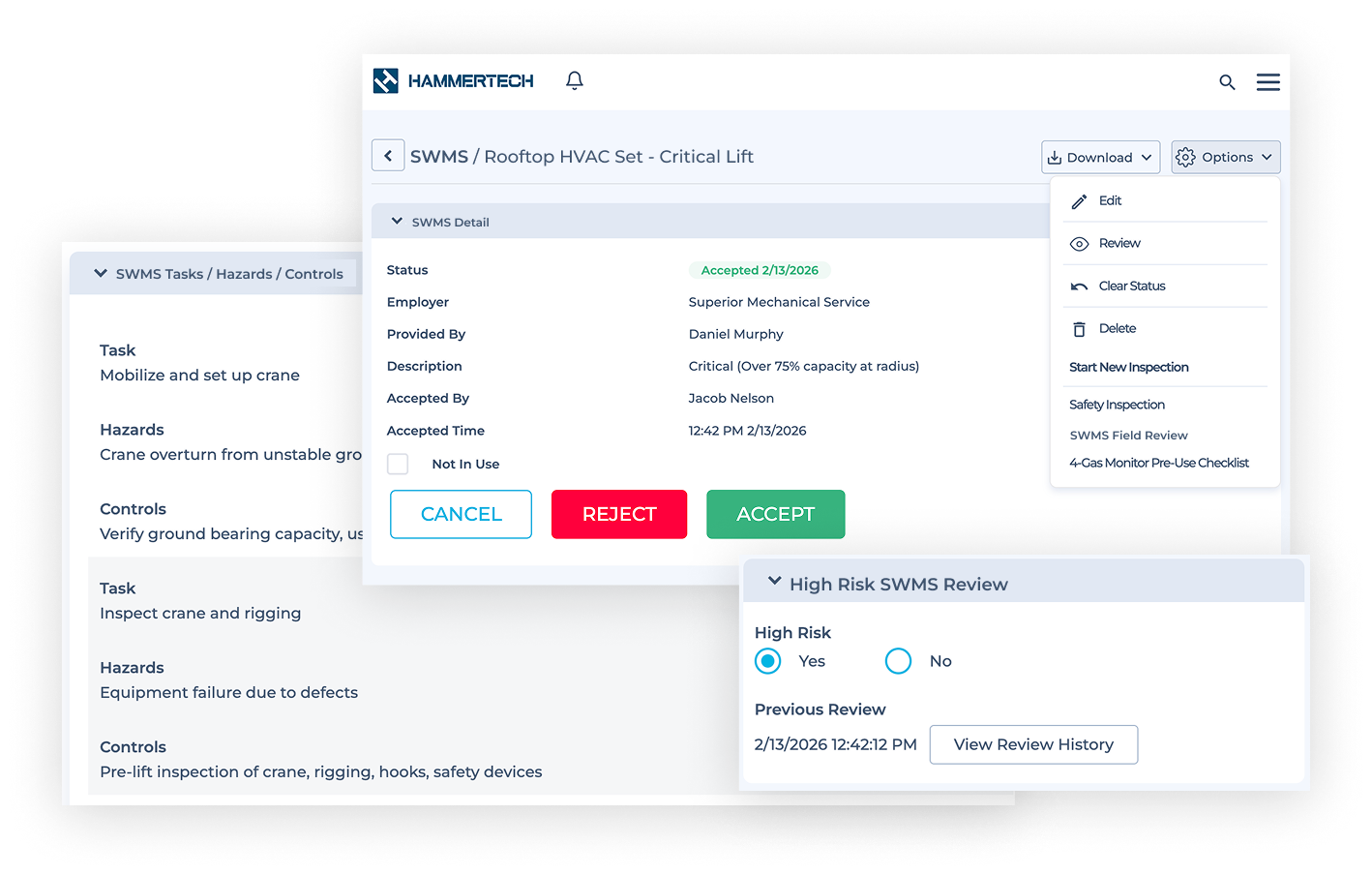
High-Risk Tags – Flag SWMS as high risk to prioritize reviews and increase oversight.
-
Digital Entry – Create and submit SWMS from desktop or mobile devices.
-
Easy Reference – Access SWMS anytime during construction and link them to related safety processes.
Track SWMS status and approval
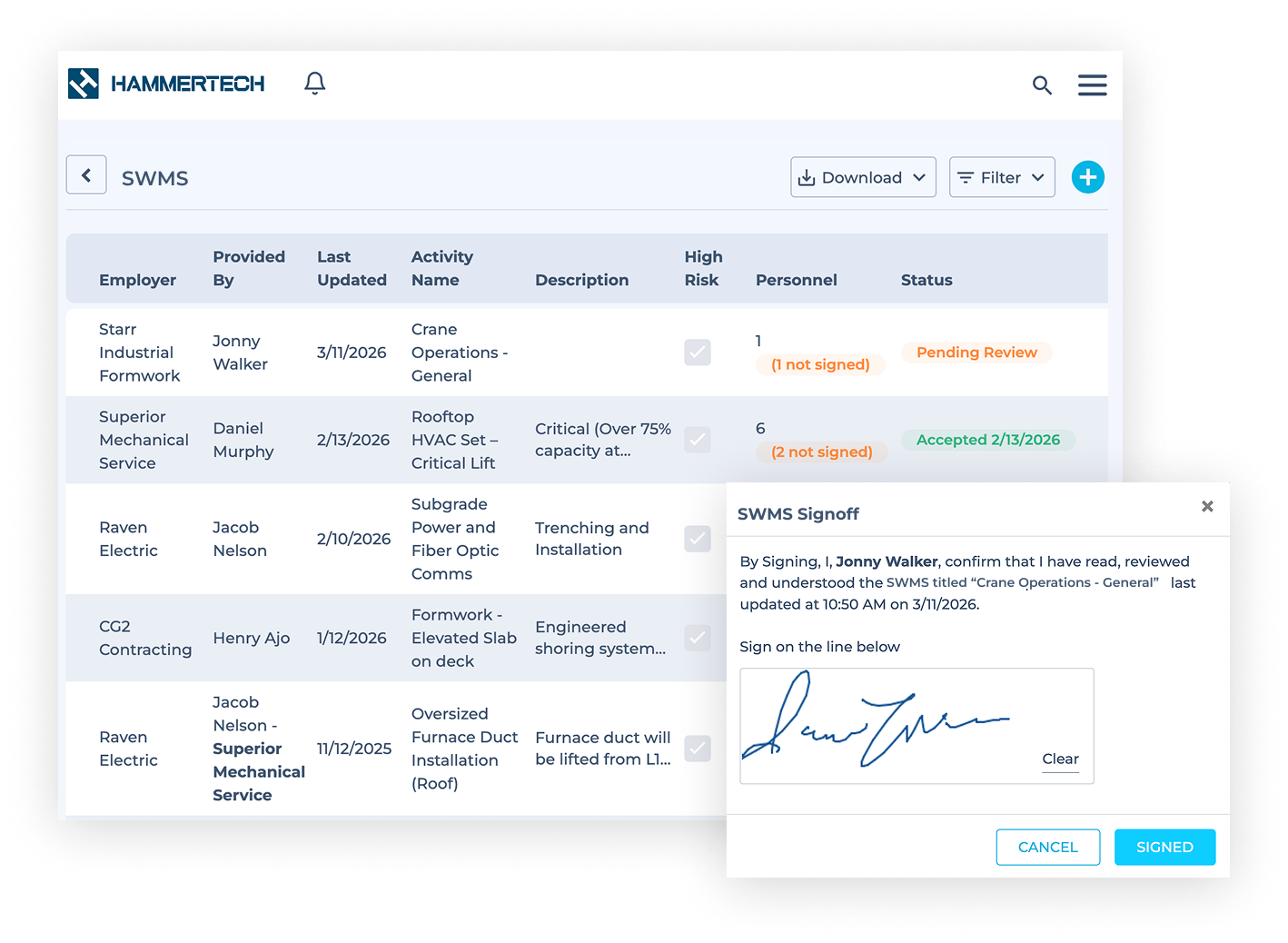
Monitor review progress and approvals with clear status visibility.
-
Status Tracking – Configure status labels and quickly see the progress of each SWMS.
-
Approval Visibility – View who reviewed and approved each SWMS for full accountability.
-
Digital Signoff – Require reviewers to digitally sign SWMS before work begins.
Customise SWMS forms and maintain version control
Configure required fields and maintain consistent documentation across projects.
-
Standardized Forms – Customise RAMS templates to ensure consistent data across projects.
-
Custom Fields – Capture key details like specialty risks, assigned. personnel, and project requirements.
-
Version History – Track changes and maintain a record of previous SWMS versions.
Customer Quote
"It’s great to be able to walk the site and instantly pull up relevant documentation - from SWMS and permits to worker competencies. Having everything in a central repository like HammerTech keeps our daily operations moving."
Related Workflows